Updated
fritzing-render
Fritzing breadboard diagrams and schematics, drawn without the Fritzing app.
What it is
Fritzing is the classic tool for drawing breadboard diagrams, but it is a desktop app. fritzing-render draws the same diagrams anywhere: in the browser, from the command line, or for an AI agent. It uses Fritzing's own SVG code and parts libraries, so the result looks like Fritzing made it.
It reads sketches saved by the Fritzing app, in breadboard or schematic view, or breadboard diagrams described in JSON, for which it lays out a schematic too.
How it works
- The live demo runs Fritzing's renderer compiled to WebAssembly with Qt. Drop in a sketch or your own parts; everything stays in the browser, and library parts are fetched from GitHub only when a sketch needs them.
- A parts catalogue searches every library at once: Fritzing core, Adafruit, SparkFun, Seeed and more. Each part has its own page with its views, files, connectors and properties.
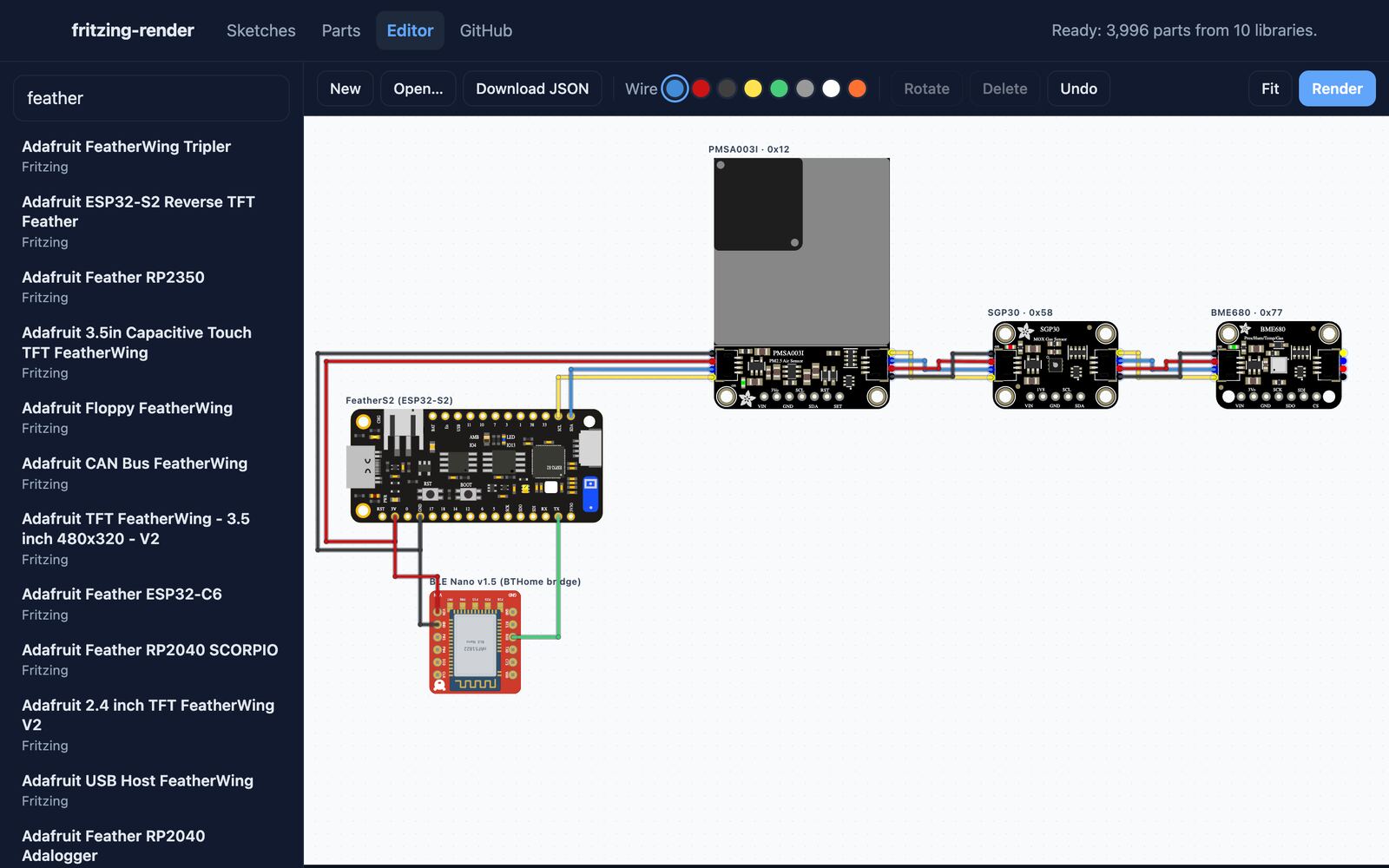
- A sketch editor in the same demo: add parts, drag them into place, drag from pin to pin to wire them, bend wires at joints that stay put when the parts move, then render either view or download the JSON.
- The CLI renders, searches parts and reads their pins. The same tools are an MCP server, so an agent such as Claude Code can design a circuit, render it and look at the image.
- A Docker image for amd64 and arm64 bundles the renderer and the parts libraries.
- Boards no library had, like the RedBear BLE Nano v1.5, the ODROID-SHOW2 and the Open Task Light control board, are drawn from their makers' gerbers, drawings and Eagle files in a companion repo, fritzing-parts-extra.
Built with
Started